






clipboard-034.jpg
clipboard-035.jpg
clipboard-036.jpg
clipboard-037.jpg
clipboard-038.jpg
clipboard-039.jpg
clipboard-040.jpg
clipboard-041.jpg
clipboard-042.jpg
clipboard-043.jpg
clipboard-044.jpg
clipboard-045.jpg

Vibrating Wire Sensor Configuration

The Vibrating Wire Sensor inputs are configured by assigning a lower starting frequency and frequency range over which the sensor operates. The ability to assign user defined operating parameters enables the VibWire-108 to operate with any manufacturers sensors.

The images below show the menu items available to configure the Vibrating Wire Sensor Inputs

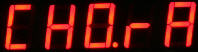
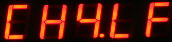
Channel 0 - Frequency Range (Hz)

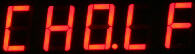
Channel 0 - Low Frequency Setting

Low Frequency Setting

Select “Menu In” button from “CHO.LF” menu item to obtain options below

Use the Menu Up and Down keys to move through the frequency settings.

Low Frequency Sensor Settings - All Parameters in Hz

500 600 700 800 90 1000 1200 1400 1600 1800 2000 2500 3000Hz


Frequency Range Of Sensor

Select “Menu In” button from “CHO.rA” menu item to obtain options below

Use the
Menu Up and Down keys to move through the frequency settings

Frequency Range Sensor Settings - All Parameters in Hz

100 200 300 400 500 600 700 800 900 1000 Hz

For each of the Vibrating Wire sensor inputs the same configuration parameters are supplied. Simply select the
appropriate menu item and access the Frequency options as described above for Channel 0.

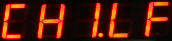
Channel 1
Low Frequency

Channel 1
Frequency Range

Channel 2
Low Frequency

Channel 2
Frequency Range

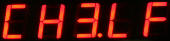
Channel 3
Low Frequency

Channel 3
Frequency Range

Channel 4
Low Frequency

Channel 4
Frequency Range

Channel 5
Low Frequency

Channel 5
Frequency Range

clipboard-046.jpg
clipboard-047.jpg
clipboard-048.jpg
clipboard-049.jpg

Channel 6
Low Frequency

Channel 7
Low Frequency

Channel 6
Frequency Range

Channel 7
Frequency Range