wavestat.gif

Real Time Calculator

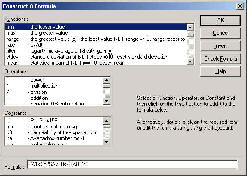
Orchestrator’s Real Time Calculator lets you create and calculate data directly from signal inputs. Calculations, devised free form by the user in a dialog box, can be strung together to form complex logical sequences or data processors. More than a hundred commands, operators and scientific constants are provided to assist you in building calculations. Calculated data is processed in Orchestrator in the same way as raw data inputs, that is, it can be logged, displayed, animated, or alarm processed.

calculator.jpg

NDACS 6000 Modules provide remote rugged data acquisition and logging facilities as building blocks in groups of 8 and 16 channels. All instruments support hi/lo alarm level monitoring, automatic e-mail data reports and status messages. The instruments can even inform a user that they are still operational even if no data is reported.


Access to the NDACS 6000 series instruments is via Ethernet port (TCP/IP) or by direct connection to the serial port. All of the NDACS 6000 range of instruments support direct connection to standard Hayes compatible modems and GSM web enabled mobile phones.
for more information see NDACS 6000 series data sheets)

configmon.jpg

Customise Displays

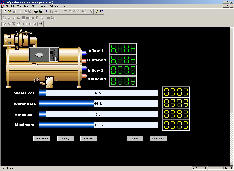
Orchestrator’s Configurable Monitor lets you develop the interface to your process and provides dynamic representation of the phenomena being monitored. The Monitor provides a variety of ActiveX controls with the ability to customize the attributes of each item. These controls include:

• Angular Gauges
• Control Knobs
• Linear Gauges
• Toggle Switches

Real Time Data Export

Orchestrator’s built-in OLE for Process Control (OPC), Dynamic Data Exchange (DDE) and Real Time Data (RTD) allow data to be connected in real time to other Windows software like Excel, Word or Access. Reports can be automatically generated and analysis can be carried out in the software environment of your choice. Also, with Network DDE and DCOM, other clients (users) can automatically incorporate data, as it is collected, directly into their own software applications.

System Security

Orchestrator uses built-in Windows password protection for granting access to other users (clients) on the network. A system manager would have ReadWrite access to allow reconfiguration and viewing of all data channels. Read-only access might be granted to a user that needs the data only for monito ing purposes. A combination of access grants can be implemented to protect specific areas of the system.

Alarm management

An important aspect of any monitoring system is the ability to handle alarms and events. Orchestrator lets you assign a unique high and low event alarm condition to each data channel. Each alarm condition can then be given a priority (1-255) and an associated block of text that is displayed when the alarm or event occurs. You can also set high and low warning limits which are used to alert operators of a developing alarm condition. Alarm channels can be sent to a mobile phone, pager or to an email address. The built-in alarm logger records all alarms, the time they occurred, and the time they were acknowledged.

Trends

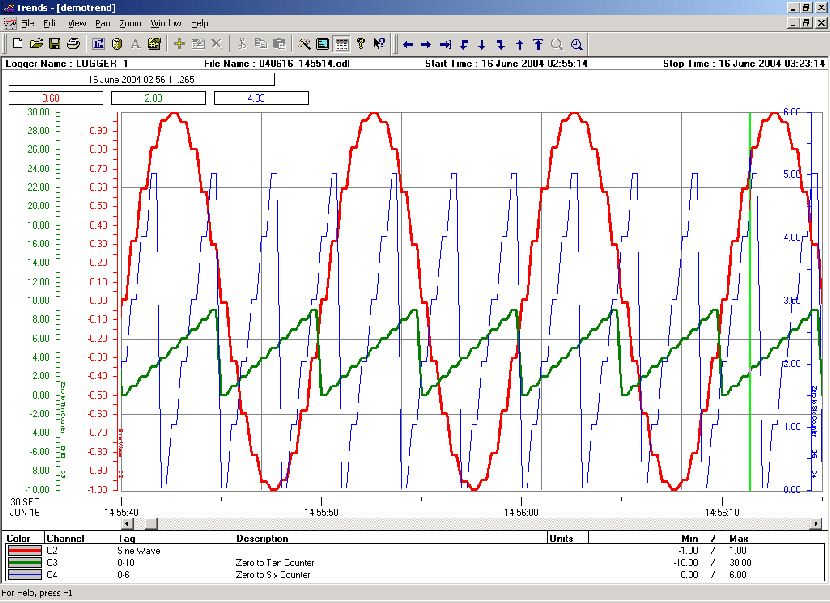
Orchestrator’s trend displays provide a powerful means for viewing, evaluating and selecting data for further processing or analysis. Data is displayed either in real time or replayed directly into the trend displays from existing log files. MDI (Multiple Document Interface) is used to present the real time trends allowing several trend displays to be viewed simultaneously. Each trend supports up to 32 channels of data and can cover any length of time, from a few seconds to several years.

Within the trending module.The Data Merge facility enables data from separate trends can be time-synchronized and

combined into a single trend.

trend2.jpg