Starting SDI-12 Network Communications
To activate the SDI-12 output port on the VibWire-108-SDI12.
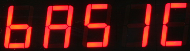
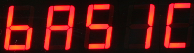
1. Starting at
2. Select “Menu In” button
3. Use the Up & Down Keys to select the option “Seral”
“Analg C0d C1d C2d C3d C4d C5d C6d C7d” are the other options available
Once the “Seral” output is selected the “Menu Out” key has to be pressed to confirm this option.
4. The VW-108 will return to the display
and now the SDI-12 port for the instrument is now activated.
Examples Of Using SDI-
The following examples show how to undertake the various tasks needed to setup and make readings across the SDI-12 networks.
The SDI-
vibrating wire sensors using the VibWire-
Changing the ID Number (address)
The following example demonstrates how to change the instrument ID number from the default factory setting 0 to 5.
Use the command ‘aAb’ where a = Start ID b = Final ID
master sends: ‘0A5’ Instrument responds 5\r\n Return New Line (5 representing new ID number)
Start Measurements On Distributed Instruments Upon A Network
The following example shows how to start measurements on instruments with ID numbers 2, 7, and 9 respectively.
For this example the instruments are instructed to start readings one at a time and the network is not freed up until each instrument responds that the readings are being undertaken.
The instruments will start their measurement operations but will not send data across the network until instructed to do so.
Use the command ‘aM!’ where a = Instrument ID Number
master sends: ‘2M!’ Instrument responds ‘20608\r\n’ indicated readings available after 60 secs
followed by ‘2\r\n’ when the measurement is completed
7M! ‘70608\r\n’
‘7\r\n’
9M! ‘90608\r\n’
‘9\r\n’
Instrument Identifier
Each instrument deployed on the SDI-
For the SDI-12 network this identifier is 0-9.
specific instrument on the network.
See below for details on setting the ID number.
4