Open Systems Architecture

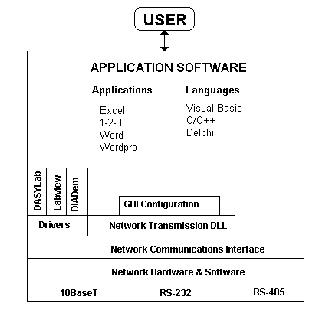
Information can be integrated quickly into company-wide business management systems using the powerful control functions available in the developers kit. The use of the industry standard TCP/IP protocol for data communications ensures that information can be made available to a wide range of users across the most popular industry standard networks. Data can be placed automatically into databases, spreadsheets and third party applications. The use of non-proprietary networking systems ensures that the development and maintenance of software is a simple task.

The NetPod system does not use a proprietary network or communications protocol for data transmissions. The use of TCP/IP protocol on Ethernet networks enables the instruments to be connected and operated using most of the common operating systems, applications packages and computer systems currently available. The wide choice of equipment suppliers means that you can never be restricted to just one manufacturer's equipment limitations. The expansion of the NetPod systems into large plant-wide applications is a simple upgrade path.

Software Developers Tool case

The developers tool case contains comprehensive examples detailing all aspects of the instrument control and configuration. The use of Windows DLLs ensures that you can develop applications using the most commonly available programming languages. A comprehensive help system guides you through the range of powerful call routines.

Using Visual Basic you can develop applications that place data directly into programs, such as spreadsheets (Microsoft Excel, Lotus 123). You can use the macro programming languages to control experiments, record and present results.


Example Calls

function NP_SimpleRead(pid,flag:integer; var ):integer;
function NP SetDigital(pid,value:integer):integer;
function NP GetStatus(stat:integer):integer;

Any programming language which supports Windows DLL calls can use the tool case.

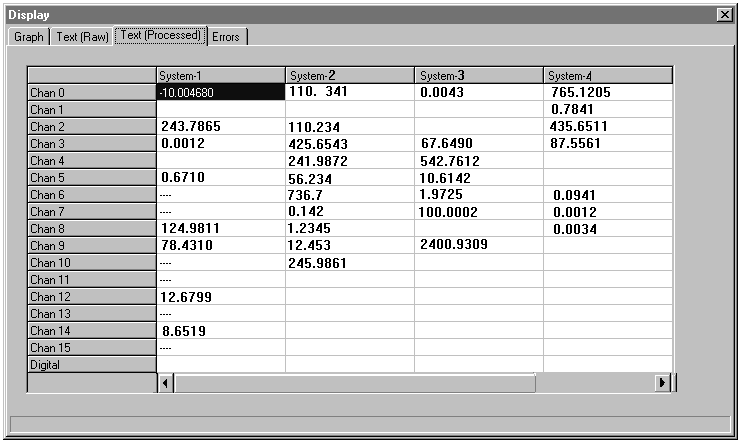
Real-time Display

The screen above shows one of the real-time numeric displays of the PodMng software

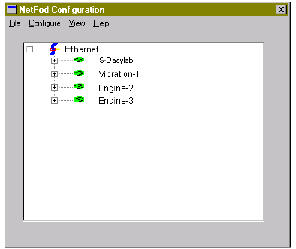
Multi-instrument Operations Window

No Configuration Files

The NetPod does not use configuration files to define its setup and operations. All control parameters are stored within the instruments and sent to the user upon request from the driver software. Any changes to the operations of any instrument by any user or applications software is automatically broadcast to each user/system acquiring data. All configuration changes are time-recorded within the files used to store information. You can remove channels from an instrument, place them in storage or transfer them into another unit without any requirement to re-calibrate or reconfigure a system.


Password Protection System

The PodMng software provides the operators with a password-protected operating environment. Two modes of operation are available: User and Operator. The User mode allows full configuration of any instrument across a network and is ideal for system management operations. The Operator mode only allows data to be recorded and examined and is ideal for applications where only data is to be displayed, e.g. as a repeater station in a control room.

15