|
PodMng Software |
|
Each instrument is
supplied with an installation CD containing the PodMng software, electronic
format user manual and a choice of drivers for third party applications
packages. The PodMng software can be used as a setup tool, basic data analysis
package and diagnostic tool. |
|
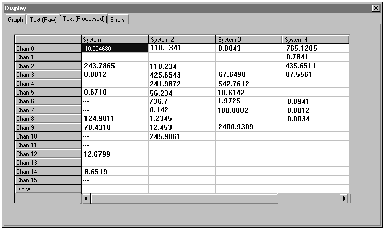
Each user
receiving data from the NetPods will observe an identical configuration window
similar to the one shown above. Any changes to the number of instruments,
channel configurations and calibration details are automatically updated and
presented |
|
within this
window. |
|
The NetPod.dll (Dynamic Link Library) enables custom program development under the Microsoft 200/NT/XP operating systems to be undertaken. The NetPod.dll supports multi-tasking, multi-instrument operations across a network. Multiple applications can share the same driver. An application program can perform all of the analogue processing, digital control and system management operations supported by the different interfaces. |
|
Software
Developers Tool case |
|
|
|
Real-time
Display |
|
Multi-instrument Operations Window |
|
Network Data
Synchronisation |
|
The PodMng software
provides the Network synchronisation timing pulses broadcast across the network
to maintain systems synchronisation. Timing pulses dervived from PC clock or
optional GPS interface card. |
|
|
|
The NetPod does not use configuration files to define its setup and operations. All control parameters are stored within the instruments and sent to the user upon request from the driver software. Any changes to the operations of any instrument by any user or applications software is automatically broadcast to each user/system acquiring data. All configuration changes are time-recorded within the files used to store information. You can remove channels from an instrument, place them in storage or transfer them into another unit without any requirement to re-calibrate or reconfigure a system. |
|
Password
Protection System |
|
|









|
Low level Network Operations & Automatic Packet Recovery |

|
Fig 14 |