

ndacsviewscreen.jpg
ndacsviewscreen.jpg
dataserverpc.jpg

Data Server

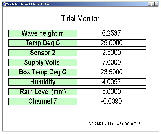
Real-time Display

IP 192.0.0.1

IP 192.0.0.1

dataserverpc.jpg

Internet Based Solution

Fig 6

Fig 7

Standard Features

The FTP software is supplied as standard on all modern versions of the Microsoft, Linux, Unix and DOS operating systems. The Unix shell scripts and Microsoft Windows batch programs call use the FTP software to automate data collection operations.

Fig 8

Example Systems

The NDACS 6000 based tidal monitoring solutions are flexible in that the instrumentation can be connected directly to the Internet via a suitable network port or where this is not available to an Internet Service Provider by a standard telephone or mobile phone. The same software that can be used across the Internet can be used on a telephone data link.

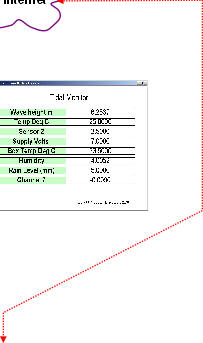
Fig 7 shows how the instrumentation can be deployed directly onto the Internet and their information viewed in real-time and/or retrieved for processing. The instruments can be any where in the world as long as a data connection can be made.

Stored information can be collected across the Internet using FTP or E-mailed directly to a user for immediate analysis.

Tide Data Collection & Reporting

File Transfer Protocol Operations - FTP

The NDACS 6000 logger which is built into the tide level instrumentation supports direct data transfer by the use of the FTP file transfer software which is an industry standard package and is available in most modern operating systems.

The NDACS 6000 operates as the FTP Server and the connection is made by a FTP client running on a remote computer as shown in Fig 6. No matter how the data connection is made to the instrumentation be that via the Internet of direct connection using a mobile phone, the same software operations are carried out and the same user interface appears to the User.

For example, to read the information in the Flash memory logger for the Internet deployed instrument shown in Fig 7 the only commands are:

FTP 192.0.0.3 makes the connection across internet
get eventlog.csv downloads selected file and stores to disk

E-mail Data Reports, Alarms & Status Messages

The NDACS 6000 supports multiple address for the sending of e-mail data reports and alarms. The e-mail server POP account see Fig 8 can be configured to expand sending data to further address above those that can be pre-set into the instrument.

The NDACS also sends status messages to indicate when the

dataserverpc.jpg
antenna.gif
modem01.jpg
antenna.gif

Dial-up Telephone/Mobile Data Link Solution

Figure 9 shows multiple NDACS systems connected together on a local Ethernet hub and back to the Data Server using a single mobile phone data link.

In this case data is best acquired using the FTP software to access and download data from each instrument in turn.

Fig 9

ftp 192.0.0.1
get eventlog.csv
ftp 192.0.0.2
get 15072004.csv

download data from instrument IP 192.0.0.1

download data from instrument IP 192.0.0.2

emailautorep.jpg

E-mail Alarm & Auto Report Format

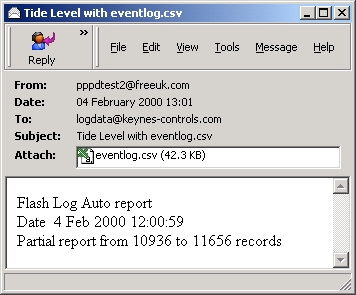
The NDACS 6000 utilises a standard E-mail format for sending alarm and automatic report data. It is possible to send e-mail messages directly from the instrument to 4 defined users however this can be expanded with the configuration of the instrument dial-up account mailbox. The Automatic report data files are CSV format and can be read directly by most Windows packages such as Microsoft Excel, Word etc.. Each E-mail alarm or record in the data files are time stamped and use the following data format:


Date,HH:MM:SS,Chan-0,Chan-1,Chan-2,Chan-3,....

Automatic data reports can be set to reported after:

A set number of records stored.
A preset time and date.
After an alarm condition has been activated.
After a defined event has occurred.