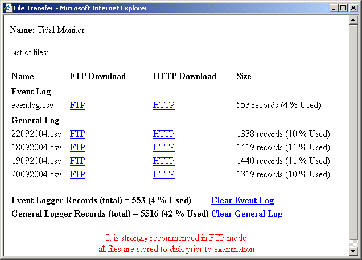
datalog.jpg

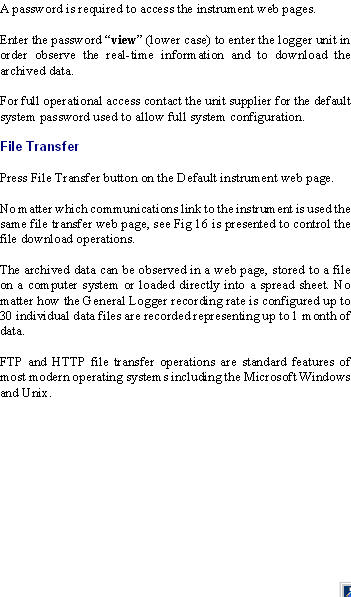
File Transfer Web Page

clipboard-006.jpg
clipboard-007.jpg

Instrument IP Address

Fig 15

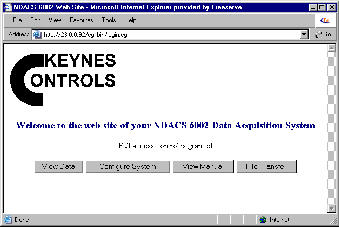
Default Instrument Web Page

Default Password

Event Log File
Flash Memory

To download data simply move the mouse pointer over the FTP or HTTP hyperlink tag adjacent to the file to be downloaded and select the right mouse button.

A new window will appear with options to Open, Open Data File in new window, Store to file to disk, or to print file.

Activate the desired task.

Opening the data file in a new window should load the archive data into a web browser for examination.

FTP File
Hyperlink tag

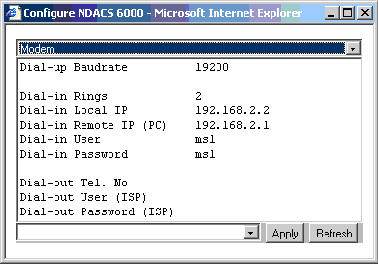
Modem Configuration For Dial-up ISP

The NDACS logger can be configured to automatically E-mail data and status messages to an operator by using a dial-up ISP (Internet Service Provider) account. For this to happen the logger must be configured to connect to the Internet.

Select the
Modem Configuration Window

Enter “
Dial-out Tel, No” as the ISP telephone number
Enter “
Dial-out User (ISP)” ISP User Name
Enter “
Dial-out Password (ISP)” ISP Password

Select the
Auto Reporting Configuration Window

Set “
Instrument E-mail Setup” option to Dial-out.

Enter “
SMTP IP” This address is supplied by ISP
Enter “
Instrument E-mail Address

E-mail address to be used to identify instrument. Can be
User Defined but may be assigned by ISP

Enter “User E-mail Address

This is the address where data from the instrument is sent. Multiple E-mail addresses can be defined by

User1 E-mail Address; User2 E-mail Address; etc.

For fully detailed example see NDACS manual at

www.keynes-controls.com/ndacsman/ndacs6000manv1010.doc

Fig 17

Fig 18