


RS232 to
Ethernet
Converter
Ethernet
Converter






9 Pin Male
Connector
Connector
9 Pin Female
Connector
Connector

Terminal Port

Pin-out of terminal port


Ethernet port
on PC
on PC
Ethernet Cross Over Cable
Serial Port to Ethernet Communication
Using a serial port to Ethernet converter it is possible to communicate to the VibWire-108 using a standard Ethernet port on a laptop or PDA in order to configure the terminal or download information.
Any terminal program can be used but a common application program is the Microsoft Hyper-terminal and this is used in the example below.
Serial Port Interface Cable
A standard 9 pin serial port cable terminated with male and female D-connectors is all that is required to communicate to the instrument.
There are many different manufactures of Serial port to Ethernet converters that can be used with the VibWire-108. Keynes Controls do not restrict the operations of the instruments to any particular model.
Some interesting sites for converter modules are:
http://www.perle.co.uk/products/Serial-to-Ethernet.shtml
http://www.hw-group.com/products/converter/index_en.html
Port Control Options
Set any serial port configuration to RS232 mode - only Rx / Tx lines
Communications
In order to communicate with a laptop or other computer system take care to ensure the network settings for the converter module are compatible to the host PC or network onto which it will be attached.
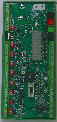
Typical Network Layout






Ethernet Hub/Switch
RS-232 to
Serial
Converter
Serial
Converter


Power Consumption
Scanning mode
70 mA
Duration 30 secs
Display mode
90 mA
Continuous
SDI-12 mode
20 mA
Continuous while waiting for sensor coil ping
RS4-85 mode
20 mA
Continuous while waiting for sensor coil ping
Sleep mode between scans
50 uA
between scans
Analogue output mode
25 mA
Continuous
GSM Idle
2 mA
Normal state
GSM Active
2 mA
as above approximately 1 minute sensor scan
GSM transmitting
100 mA
typically 300 mS duration
GSM Peak (impulse)
800 mA
2 - 10 mS
Zigbee Idle
50 mA
Zigbee Communications
40 mA